



Sponsored
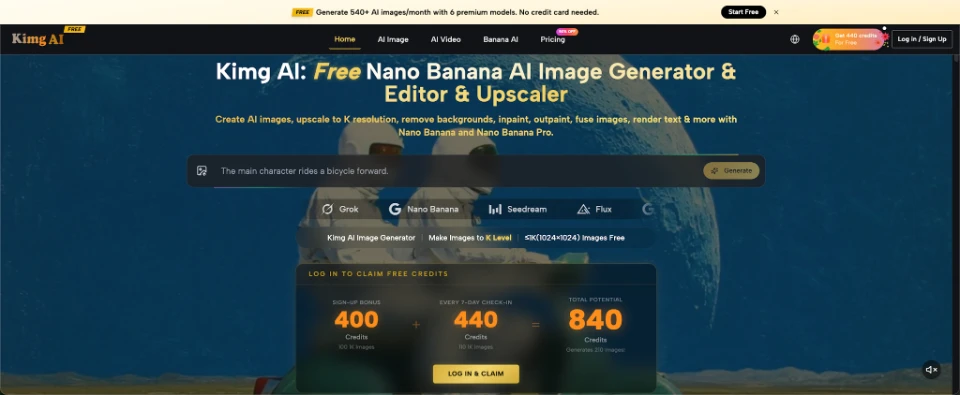
Traditional photo editing asks the user to select, mask, crop, paint, clone, and adjust. Generative editing changes that relationship. Instead of manually rebuilding every part of an image, you can describe the intended change and let the model interpret the request. Platforms such as Nano Banana show how this instruction-based approach works with both text prompts and existing images. That does not make conventional editing obsolete. It changes which tasks are worth doing manually and which can begin with language. Understanding that difference helps users choose the right method instead of expecting one tool to solve every visual problem.
The Main Shift Is From Direct Manipulation to Intent
In a conventional editor, you usually tell the software exactly where and how to change pixels. If a background object must disappear, you select the area, choose a removal tool, and refine the edges. The software follows operations.
With generative editing, the instruction can be closer to the final intent: “Remove the chair behind the person and reconstruct the wall naturally.” The model decides how the missing area should look.
That is a major interface change. Language becomes part of the editing control system. The advantage is that some complex operations can begin with one instruction. The trade-off is that the model must interpret what you mean.
For a user, this means editing skill increasingly includes writing constraints, choosing references, and recognizing when the generated result has drifted from the source.
Three Types of Tasks Reveal the Difference Clearly
Instruction-based editing is easiest to understand when compared with familiar visual tasks. Some jobs benefit strongly from generative interpretation, while others still demand direct control.
-
Replacing a Complex Background
Cutting a person from a busy room and rebuilding a new environment can involve masking hair, matching light, and correcting edges. A generative system can instead use the existing photo as context and create a new scene around the subject.
The prompt still matters. “Change the background” is vague. “Keep the person, pose, clothing, and framing unchanged; replace the room with a bright library with soft daylight” gives the model a more useful boundary. The system handles many low-level visual decisions, while the user concentrates on the desired result.
-
Extending an Image Beyond Its Original Frame
A tightly cropped photo may not fit a banner, wallpaper, or wide layout. Traditional editing can extend the canvas, but filling the new area convincingly may require manual reconstruction.
Generative outpainting approaches can infer plausible content outside the original frame. The task shifts from painting every missing section to describing what the wider scene should contain. However, the newly created area is still synthetic. Users should inspect architecture, repeated objects, signs, and other details that may look plausible but be logically wrong.
-
Restyling While Keeping the Composition
Changing a photo into an illustration traditionally means rebuilding or heavily filtering the source. A generative model can interpret the composition in another visual style while preserving important structure.
Kimg AI publicly describes style transfer as a Nano Banana capability, including movement between photorealistic and illustrated styles. The useful part is not simply applying a “look.” It is asking the model to preserve the subject, pose, and scene relationship while changing the rendering language.
Prompts Function Like Editable Specifications
A strong editing prompt is closer to a short specification than a creative slogan. It should identify the source, the protected elements, the requested change, and any important visual conditions.
Consider two instructions:
“Make this photo cinematic.”
“Keep the same person and camera angle. Replace the midday light with soft late-afternoon light, reduce background clutter, and keep skin texture natural.”
The second prompt gives the model observable conditions. If the result is wrong, you can identify which condition failed.
This is where Nano Banana AI and similar instruction-driven tools differ from a one-click filter. The user can describe relationships between existing content and new content rather than simply applying a preset appearance.
For technical users, it helps to think of the prompt as parameters written in natural language. Ambiguous parameters produce ambiguous outputs. Clear constraints make the result easier to test.

Reference Images Add Another Form of Control
Language is powerful, but some visual information is awkward to describe. A particular face, product shape, illustration style, or room design may be easier to show than explain.
Kimg AI states that Nano Banana and Nano Banana Pro support up to four reference images. That creates a second control channel alongside text. One image can define the subject, another can define a style, and the prompt can state how they should be used.
This does not remove uncertainty. If two references contain different hairstyles, lighting, and color palettes, the system still has to decide which signals matter. The user should assign roles explicitly.
For example: “Use reference 1 for the person’s identity and clothing. Use reference 2 only for the lighting and color mood.”
That is more precise than dropping several images into the model and hoping it discovers the intended combination.
Traditional Editors Still Win When Exactness Matters
Generative editing is not automatically the right choice for every task. If a company logo must move exactly 12 pixels, a crop must match a fixed template, or a legal document must retain every character exactly, direct editing tools offer more deterministic control.
The same is true for minor corrections. Adjusting exposure, rotating a photo, or making a precise local color change may be faster with a standard editor. Asking a generative model to rebuild the image can introduce unnecessary variation.
A useful decision rule is simple: use generative editing when the task requires visual inference, reconstruction, or reimagining. Use conventional editing when the task requires exact placement, exact typography, or predictable numerical adjustments.
Hybrid work is often the most practical. Generate the difficult scene change first, then finish cropping, typography, and precise alignment in a normal editor.
The New Skill Is Knowing What to Delegate
As image models improve, the user’s role does not disappear. It moves upward from manual pixel operations toward direction and quality control.
A designer may no longer need to paint every missing section of a background, but still needs to decide whether the generated architecture makes sense. A marketer can test several settings around the same product, but must verify that the product itself has not changed. A student can create an illustrative scene from a prompt, but should still recognize that generated details are not evidence.
The practical skill is deciding which decisions the model can safely make and which must remain under human control.
That distinction also prevents over-editing. If the original photo already solves most of the problem, delegate only the difficult part. Generative systems are most useful when they remove a specific obstacle, not when they rebuild everything simply because they can.
Conclusion
Instruction-based image editing changes the interface, not the need for judgment. Instead of manipulating every pixel directly, users can describe the result, protect important elements, and provide references when words are insufficient. Generative tools are especially useful for reconstruction, expansion, and visual restyling, while conventional editors remain stronger for exact placement and predictable adjustments. The most effective approach is often a combination of both. On your next editing task, decide first whether the problem needs visual interpretation or exact control, then choose the method that matches it.
